18 Interior Design Portfolio Examples & 4 Easy Steps to Create Yours

It's your interior design portfolio that will get you ahead in your career, we all know that. So we have gathered everything you need to create a standout portfolio: 18 examples with multiple portfolio formats, and a 4-step guide to easily design yours.
No matter if you are planning to go to college, seeking employment, or starting freelance work, this article is for you.
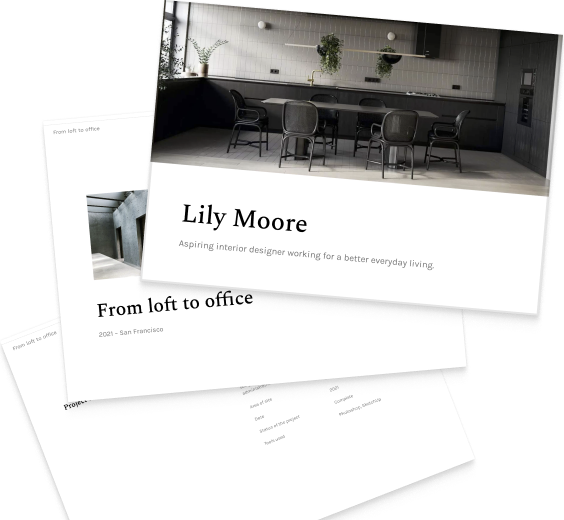
Prefer to watch a video? Check our current top favorites:
18 interior design portfolio examples for inspiration
1. Lina Camacho

Focus: industrial and interior design
Seniority: senior
Number of projects: 8
Portfolio format: PDF
Portfolio template: Archifolio's Museum template
2. Nataliya Suboceva

Focus: commercial and residential interior design
Seniority: medior
Number of projects: 5
Portfolio format: website & PDF
Portfolio template: Archifolio's Downtown template
3. William Gulay

Focus: residential interior design
Seniority: medior
Number of projects: 10
Portfolio format: website & PDF
Portfolio template: Archifolio's Metropolitan template
4. Gioia Della Ragione

Focus: residential interior design & 3D renders
Seniority: medior
Number of projects: 6
Portfolio format: website
Portfolio template: Archifolio's Agora template
5. Maria El

Focus: high-end residential and hospitality interior architecture
Seniority: senior
Number of projects: 8
Portfolio format: website & PDF
Portfolio template: Archifolio's Neue template
6. Martina Bormolini

Focus: Alpine hospitality & residential interior design
Seniority: junior
Number of projects: 8
Portfolio format: website & PDF
Portfolio template: Archifolio's Metropolitan template
7. Tuan Nguyen

Focus: global workspace designer
Seniority: senior
Number of projects: 14
Portfolio format: PDF
Portfolio template: Archifolio's Museum template
8. Rior Interior
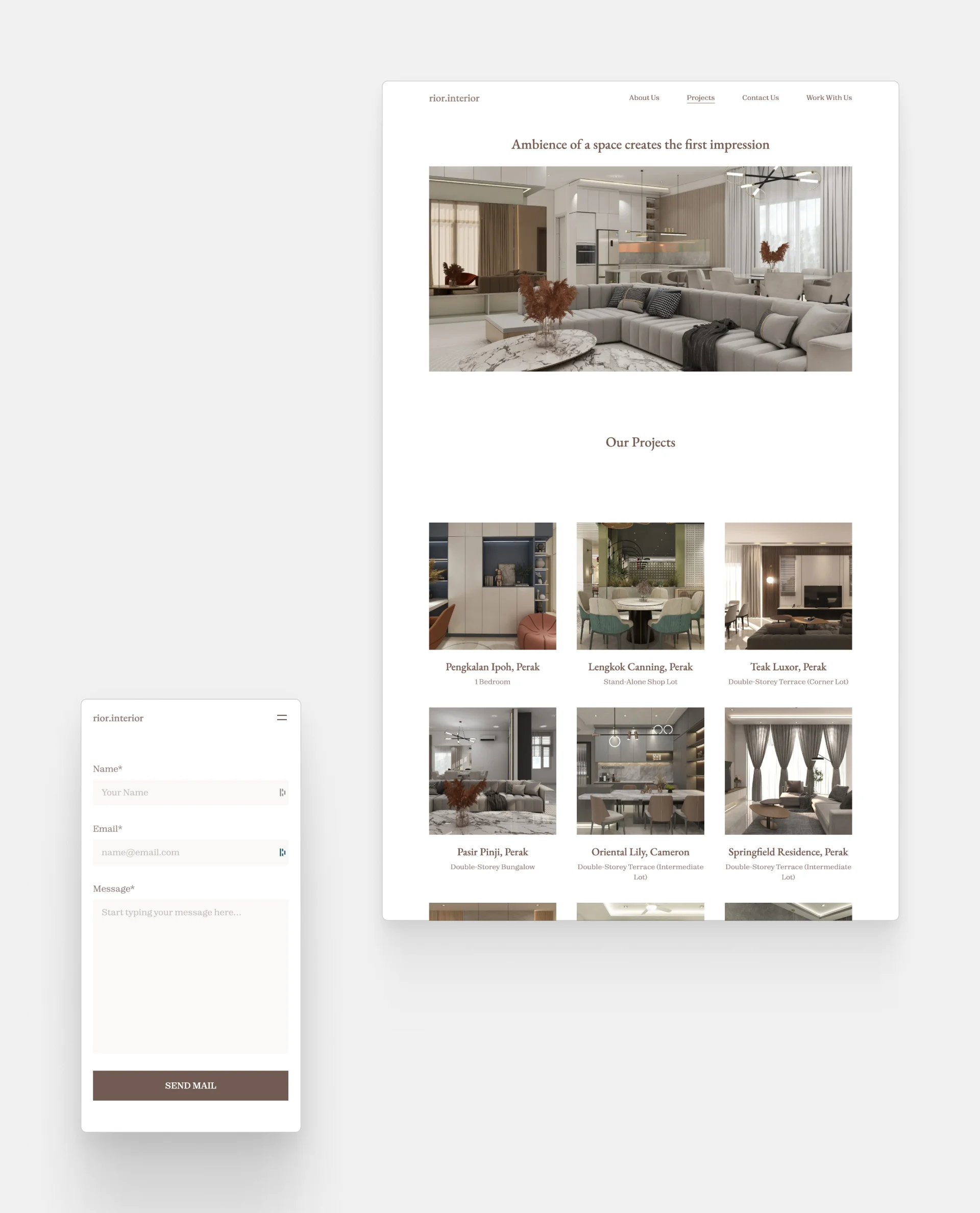
Rior Interior's portfolio website
Focus: residential & commercial interior design
Seniority: senior
Number of projects: 19
Portfolio format: website
Template: Archifolio's Palazzo template
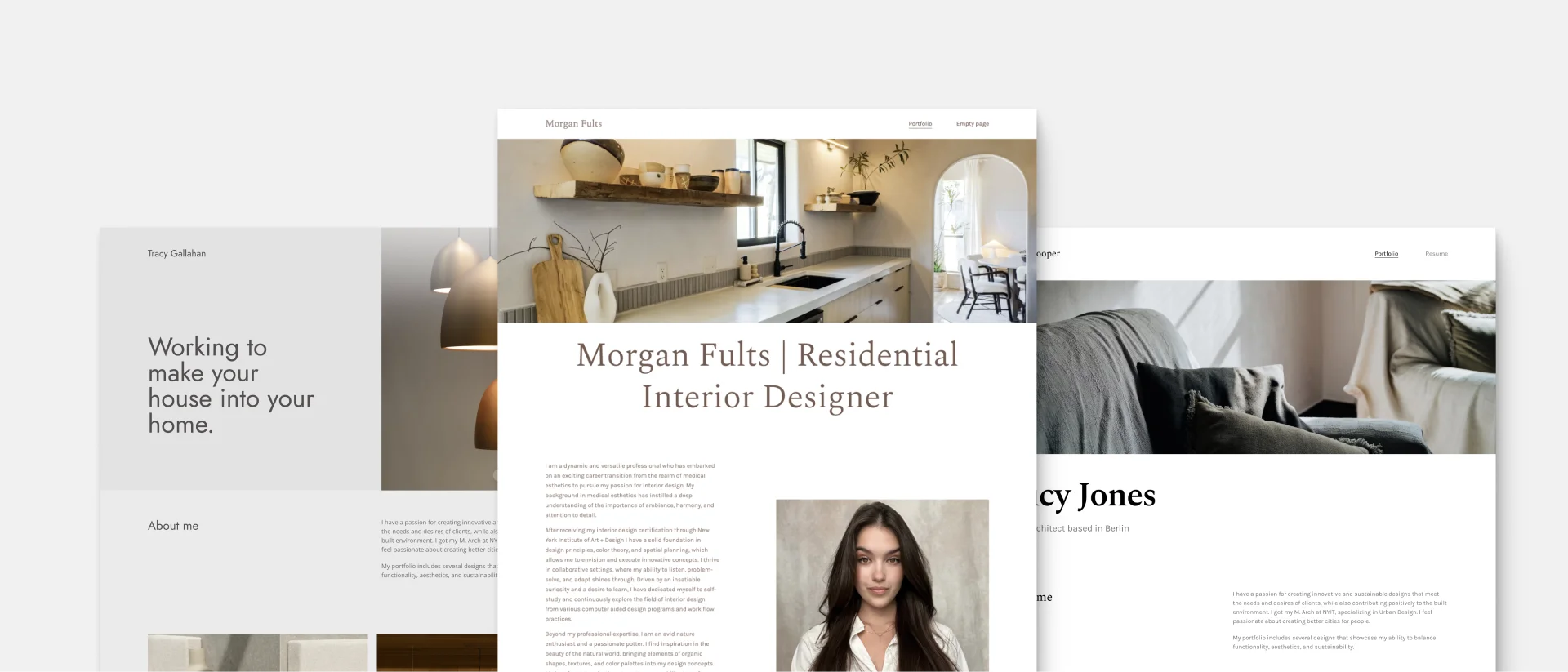
9. Morgan Fults
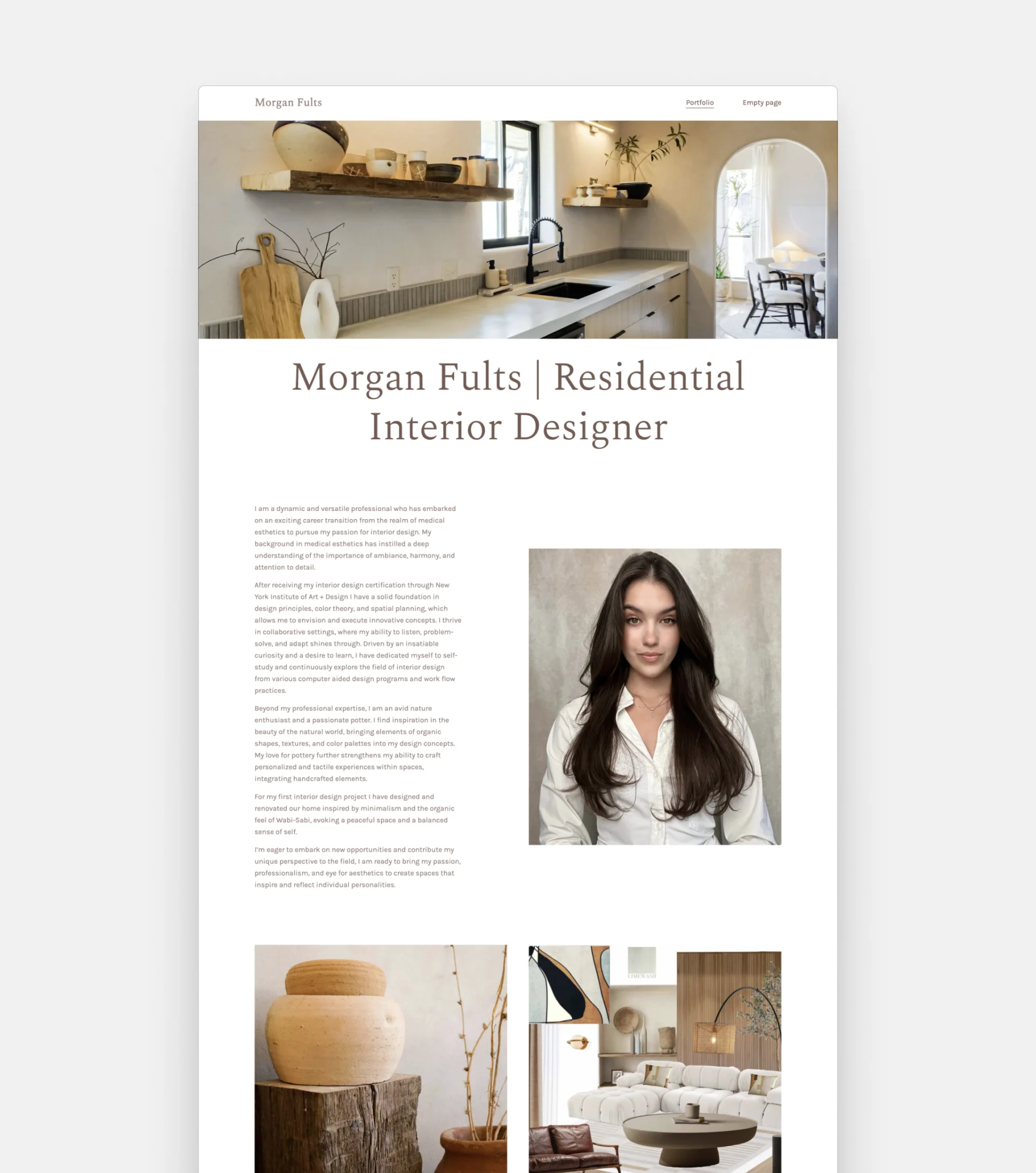
Focus: residential interiors
Seniority: junior
Number of projects: 4
Portfolio format: website
Template: Archifolio's Agora template
10. Stephenie Edwards
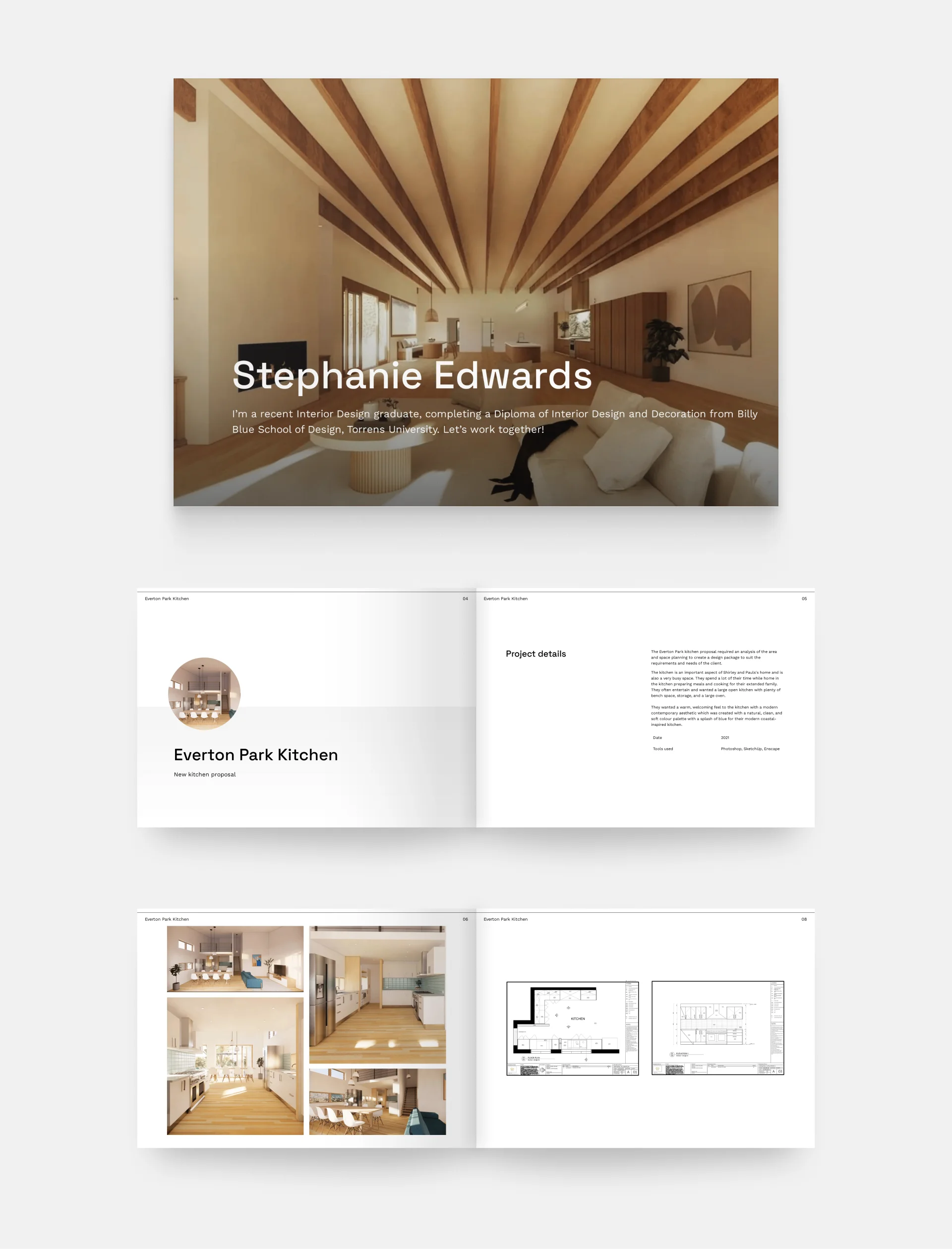
Focus: commercial interior design
Seniority: graduate
Number of projects: 5
Portfolio format: PDF
Portfolio template: Archifolio's Museum template
11. Irena Voronina
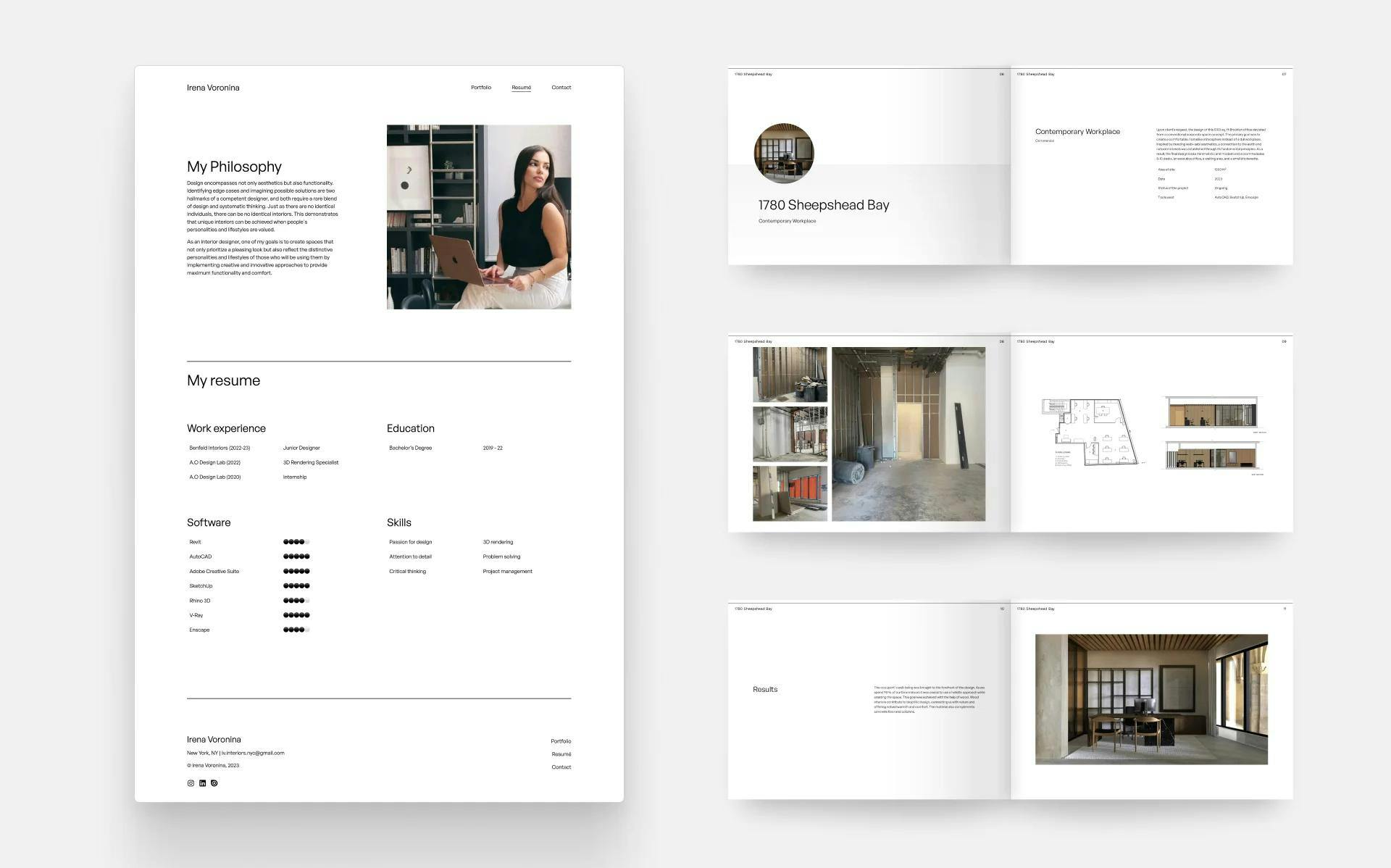
Focus: commercial interiors & lighting design
Seniority: junior
Number of projects: 12
Portfolio format: website & PDF
Portfolio template: Archifolio's Museum template
12. Fatima Israr Studio
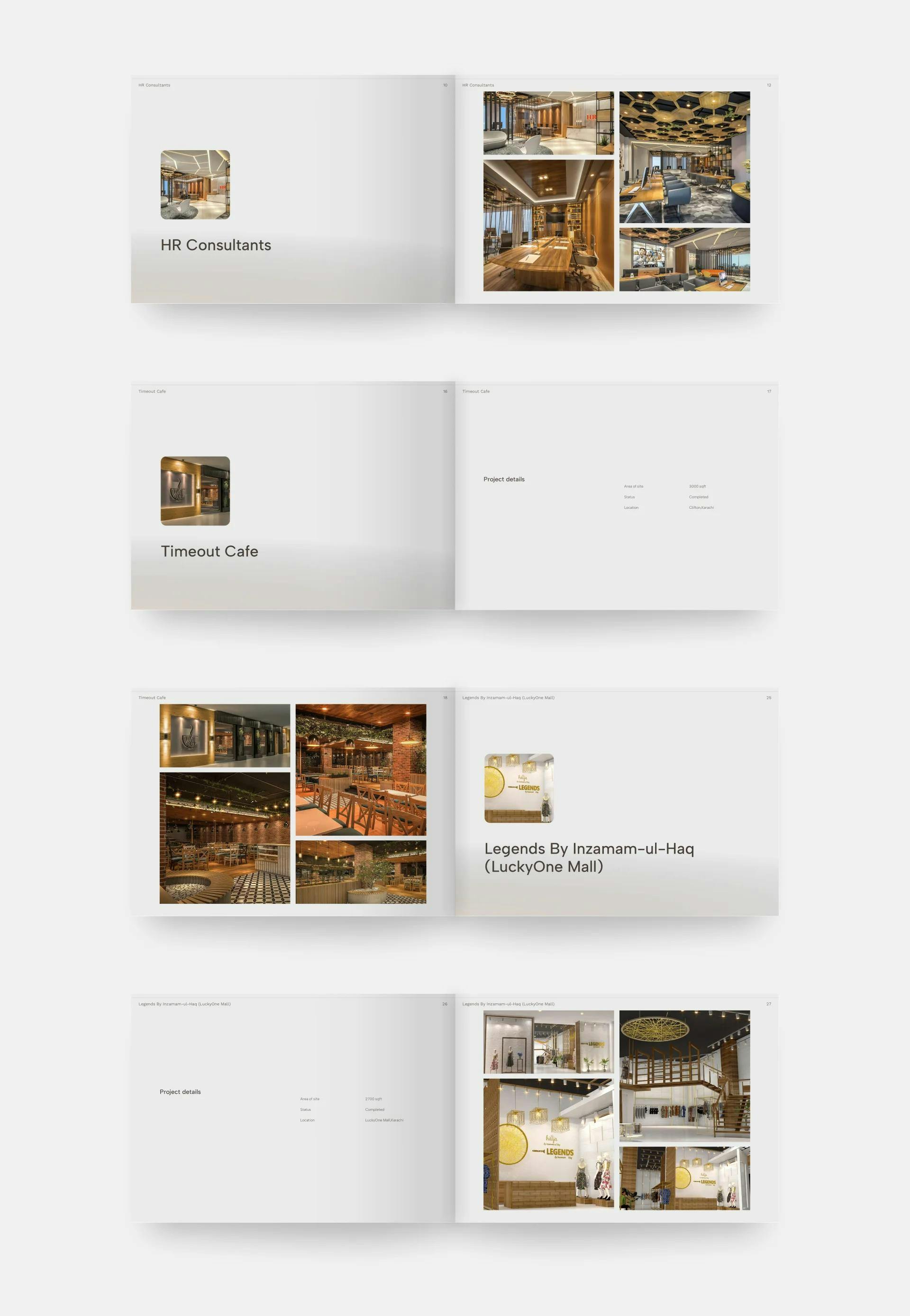
Fatima Israr Studio's portfolio
Focus: residential & commercial interiors, residences
Seniority: senior
Number of projects: 26
Portfolio format: PDF
Portfolio template: Archifolio's Palazzo template
13. Matthew Gallahan
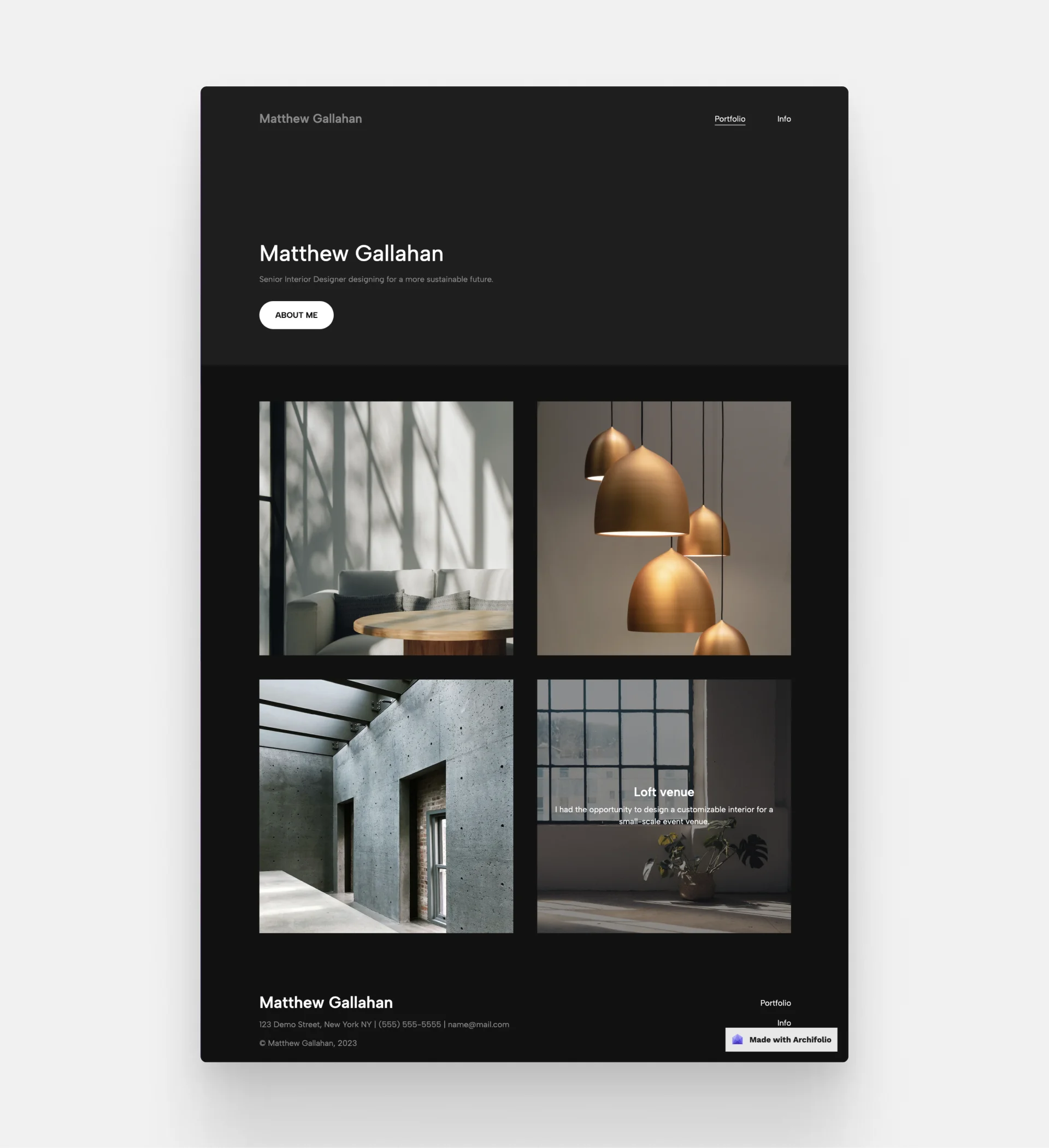
Mock project by Archifolio
Focus: venues & commercial interior design
Seniority: senior
Number of projects: 4
Portfolio format: website
Portfolio template: Archifolio's Modular template
14. Lily Moore
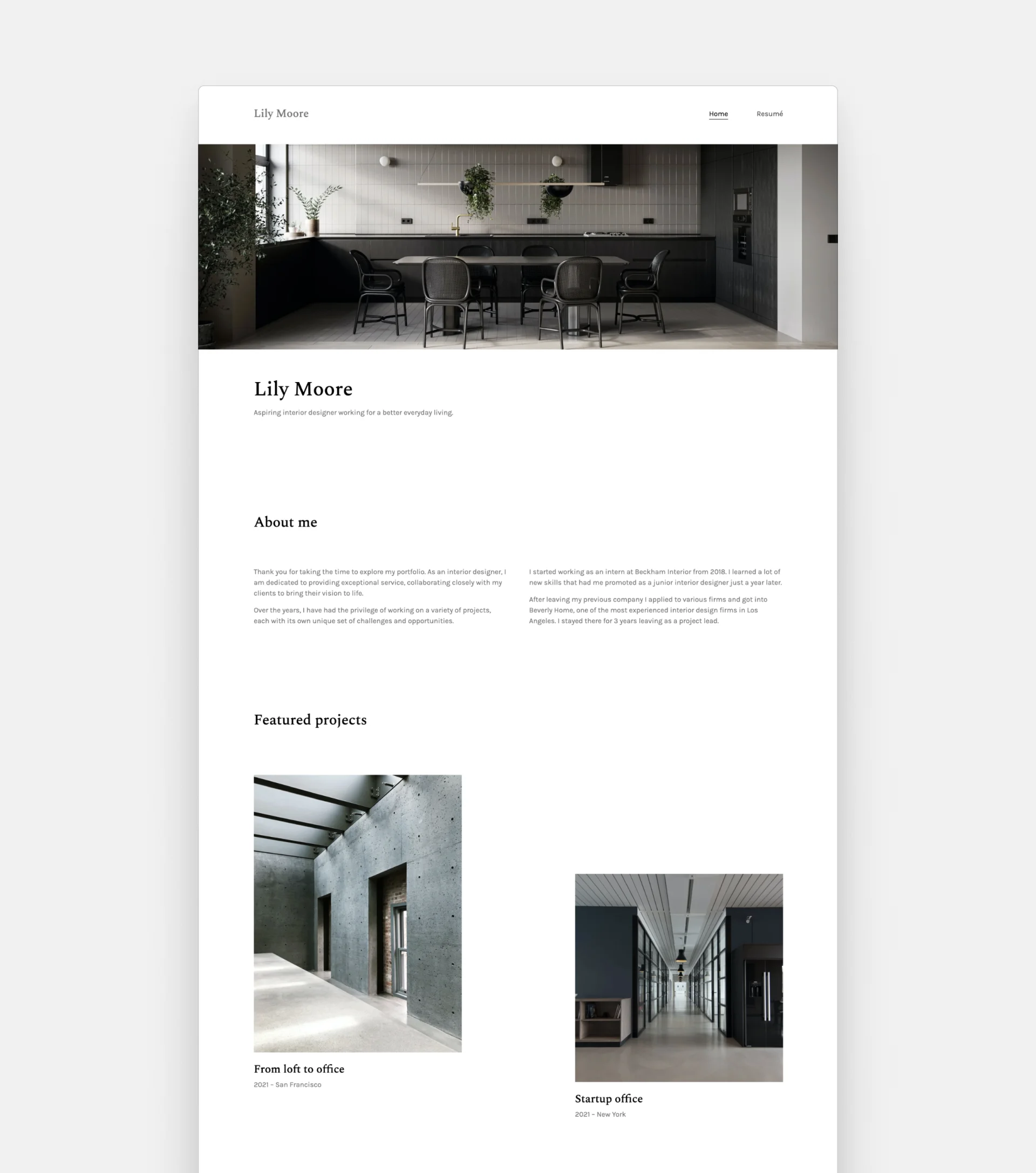
Lily Moore's portfolio
Focus: office spaces' interior design
Seniority: medior
Number of projects: 4
Portfolio format: website
Portfolio template: Archifolio's Agora template
15. Mustafa Abid Paracha
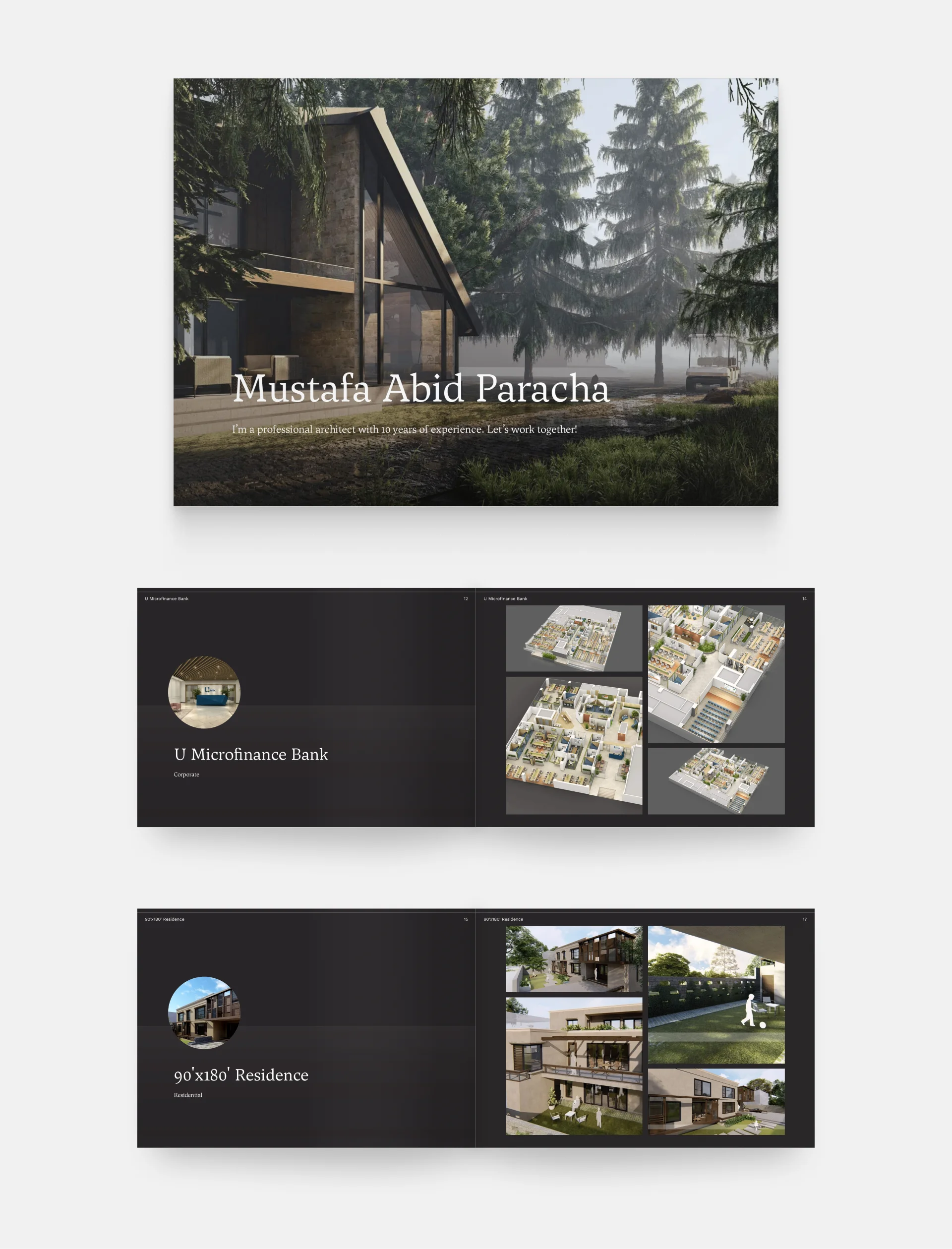
Mustafa Abid Paracha's architecture portfolio
Focus: architectural design
Seniority: senior
Number of projects: 30
Portfolio format: website & PDF
Portfolio template: Archifolio's Museum template
16. Isabella Turner
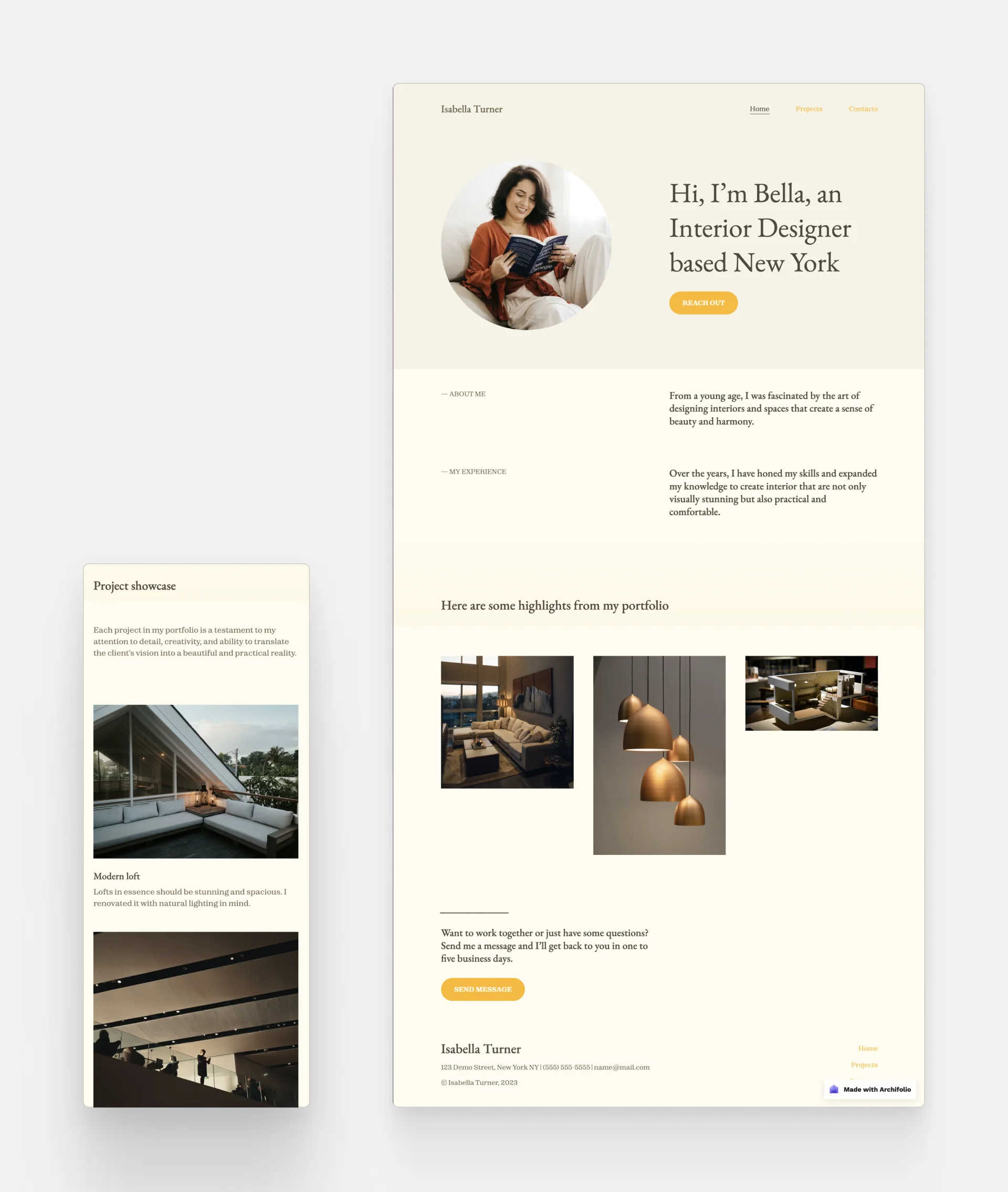
A mock project created with Archifolio
Focus: lighting & residential interiors
Seniority: medior
Number of projects: 3
Portfolio format: website
Template: Archifolio's Modular template
17. Güliz Çetin Mbagaya
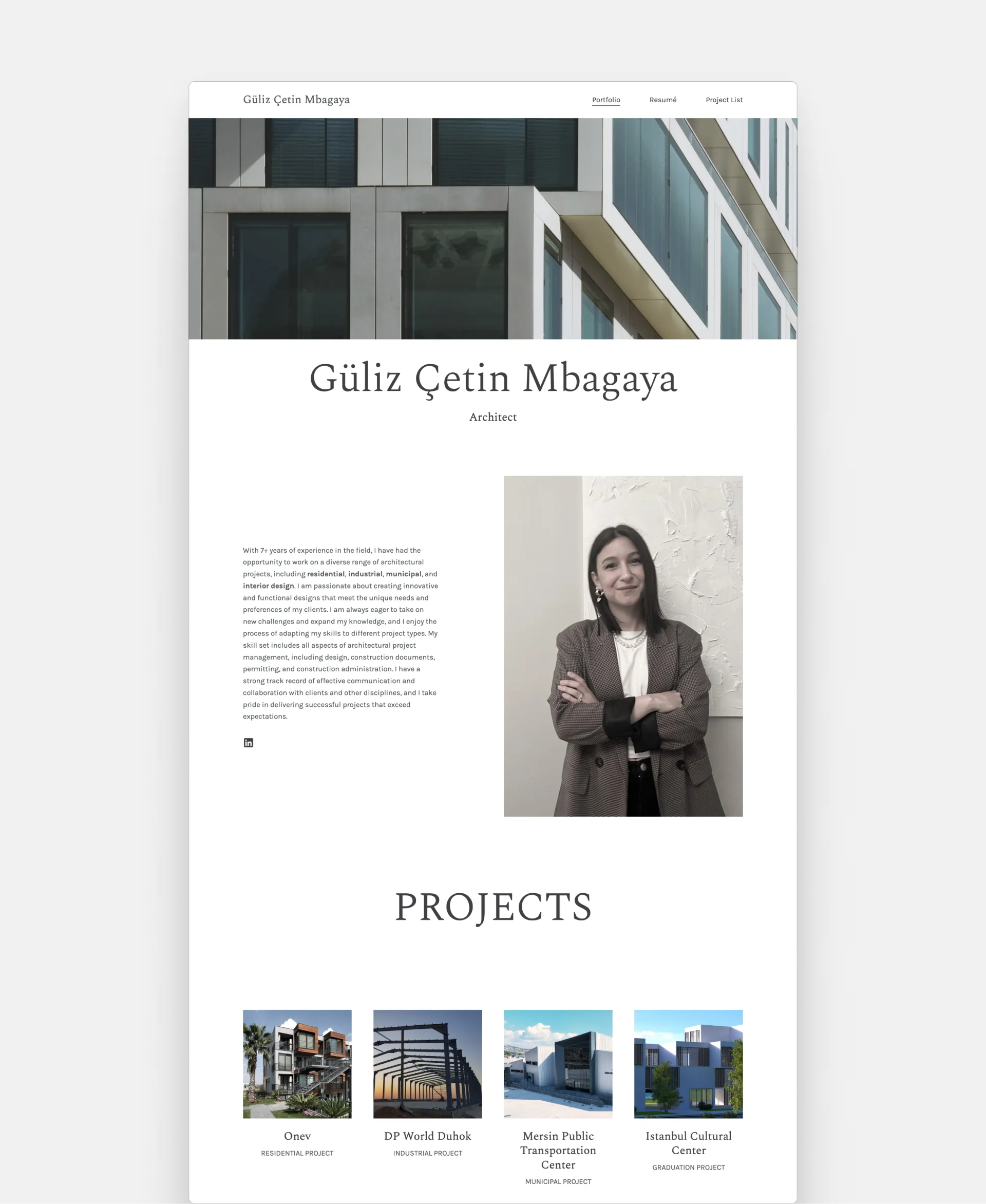
Güliz Çetin Mbagaya's portfolio
Focus: retail, residential, industrial, and municipal interior design
Seniority: senior
Number of projects: 5
Portfolio format: website
Portfolio template: Archifolio's Agora template
18. Grace Adams
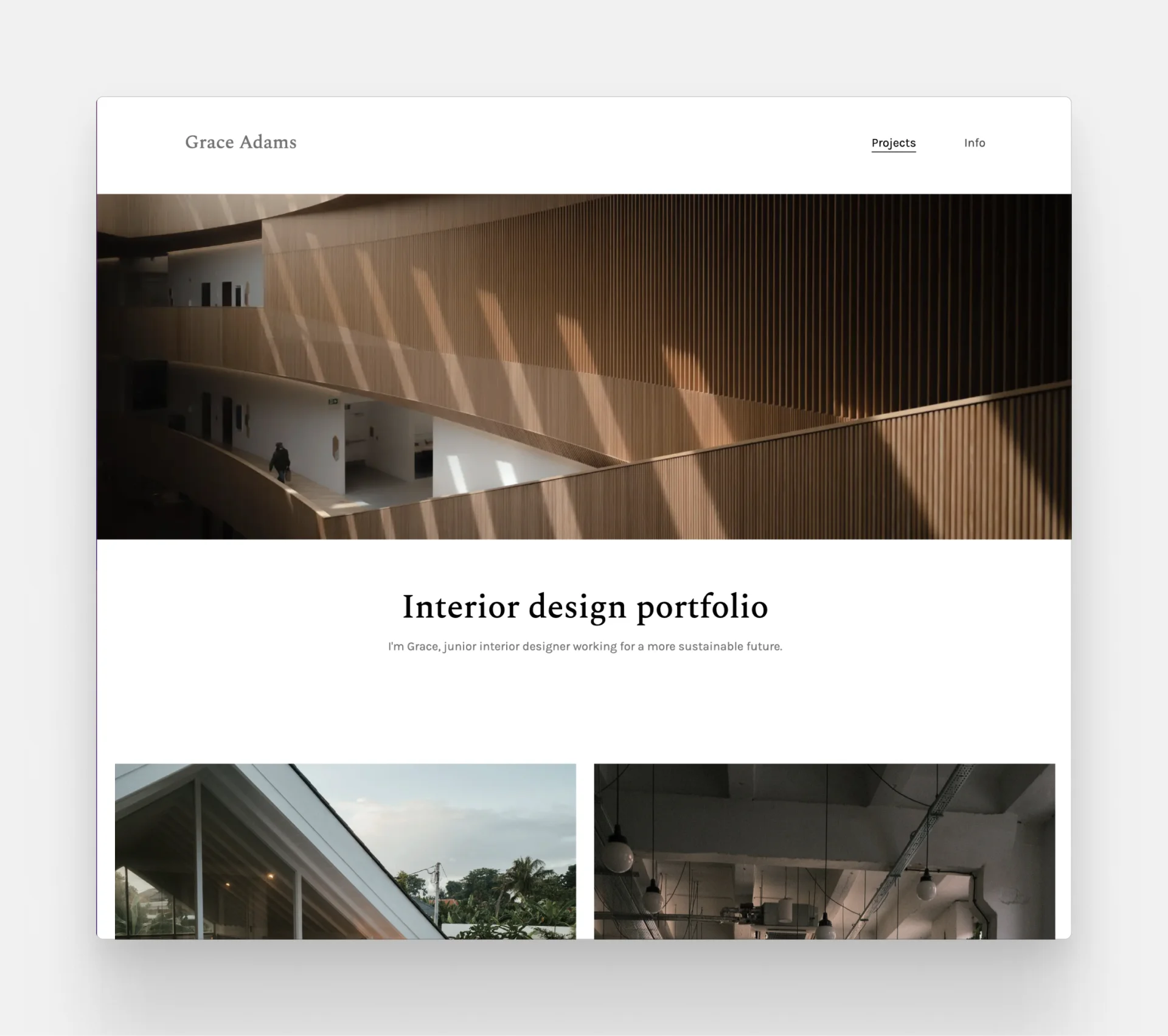
Grace Adam's portfolio
Focus: residential interior design
Seniority: junior
Number of projects: 3
Portfolio format: website
Portfolio template: Archifolio's Agora template
And now, let’s look at the 4 easy steps that will help you create a stunning portfolio:
Step 1: Identify your goals
Before jumping into designing your portfolio, you first need to identify your goals. For instance, these can be:
- Building a clientele for your freelance practice,
- Becoming employed as an interior designer,
- Landing an internship as an undergraduate, or
- Getting accepted to uni as a high school student.
Let’s get into the details: How can you tailor your portfolio to best suit your goals?
1. As a freelance interior designer…
Recommended format: website
Include:
- min. 5 projects,
- your services and design process,
- the client brief,
- before-after pictures of renovations,
- easy-to-read floor plans,
- professional photography of the finished projects,
- client testimonials, and
- contact form.
Only include those types of projects that you’d like to work on. For instance, if you want to get commercial clients, don’t publish your residential projects.
Structure:
- Home page (with your location & services),
- About page,
- Portfolio (with separate pages for each of your projects), and
- Contact page.
Get into the habit of asking:
- Who is my ideal client?
- What concerns do they have when they visit my page?
- What are they interested in?
- What makes them want to work with me?
No matter where and how a client finds you, they will Google you. The name of the game is building credibility. So, include client testimonials and awards you've won.
It's paramount to speak your ideal client's language. For example, if you work in residential design, your clients will most likely not appreciate the use of design and construction jargon. Whereas commercial clients might consider it vague and unprofessional if you aren’t using the terminology they use.
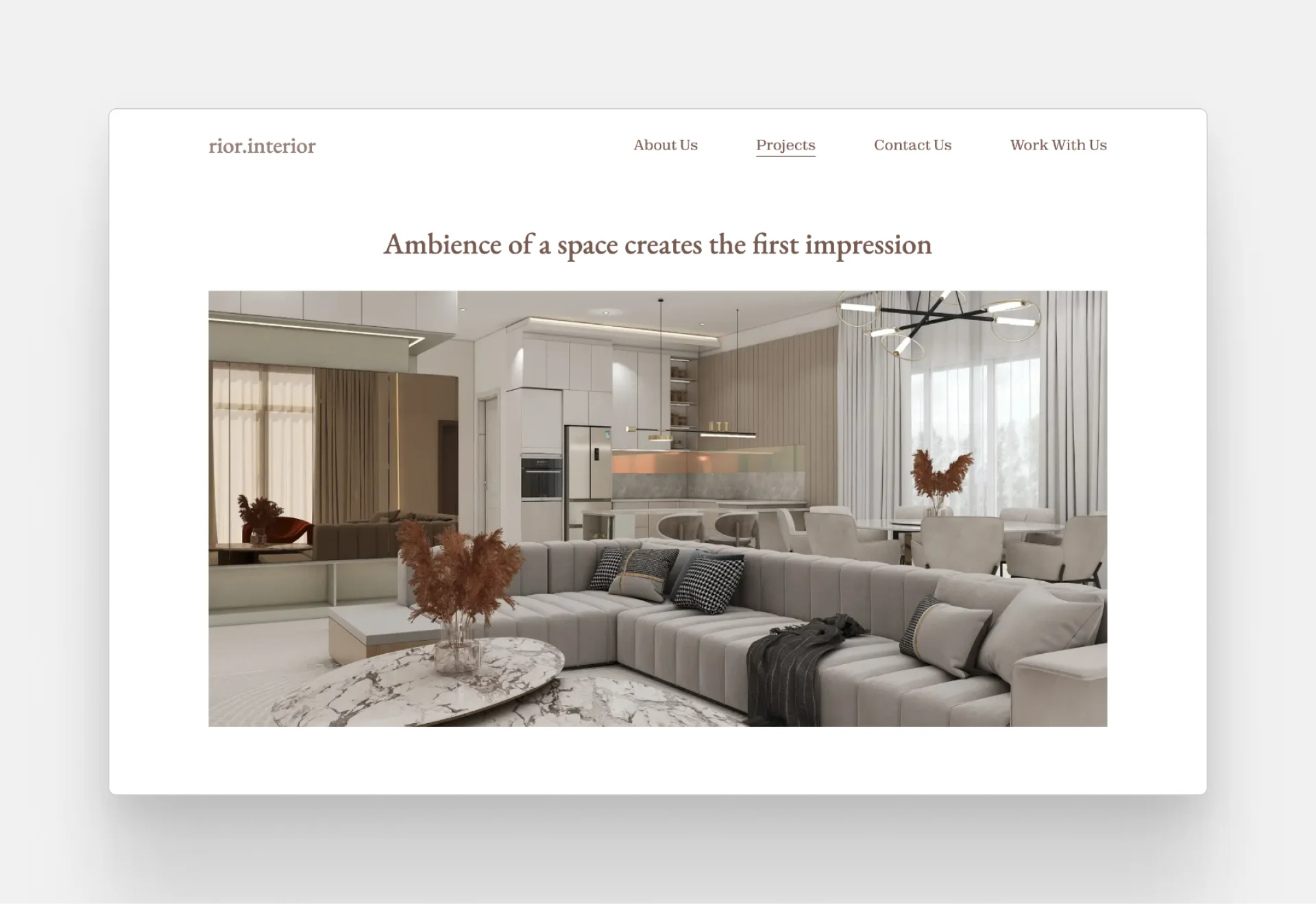
Rior Interior is a freelance practice with a stunning portfolio created with Archifolio
It’s the same with visual content. When working with residential clients, don’t showcase your detailed construction drawings. Instead include photography of finished projects and before-after images.
Make sure that the quality of all your images is top-of-the-line, as they will do most of the work. Use a scanner for your sketches and hire a professional photographer. Free image tools can help you polish the results further, letting you crop, adjust, and clean up your photos so they look their best.
2. As an employed interior designer…
Recommended format: website and/or PDF
Recruiters are far more interested in your thought process than the outcome.
Include:
- 3-10 projects
- contextual information about the projects (e.g. size of the project),
- your role and tasks in each project,
- a short description of the project and client brief,
- first sketches,
- mood boards & inspiration,
- floor plans & furniture layouts,
- technical drawings,
- 3D visualization, and
- photography of finished project.
You can include projects you’ve worked on while at a previous firm. Just write “Designed while at _____” and credit the photographer and others who worked on it. But make sure that there’s no NDA.
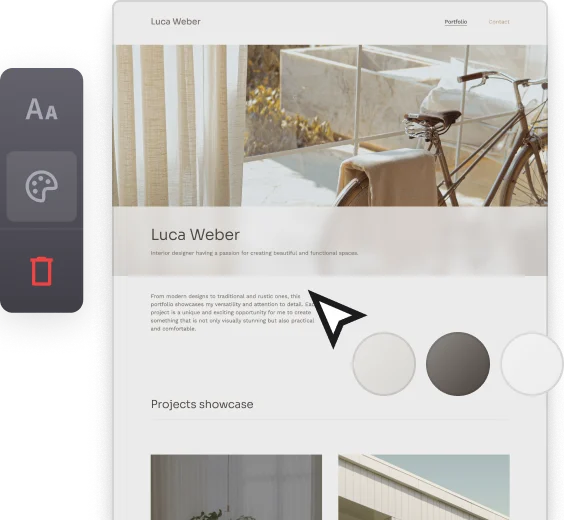
Structure:
- Cover page (a.k.a. Home page)
- Resume page
- Table of contents (a.k.a project thumbnails for websites)
- Project pages
If you are seeking employment, you'll need to tailor each application to the job at hand to make it relevant. To do this, you need to have a clear understanding of the sort of firm you are applying to.
- Check their projects and their company profile (their values, services, and specializations).
- Analyze the job description (position, requirements, must-have skills).
List all this information and include these points in some form or another.
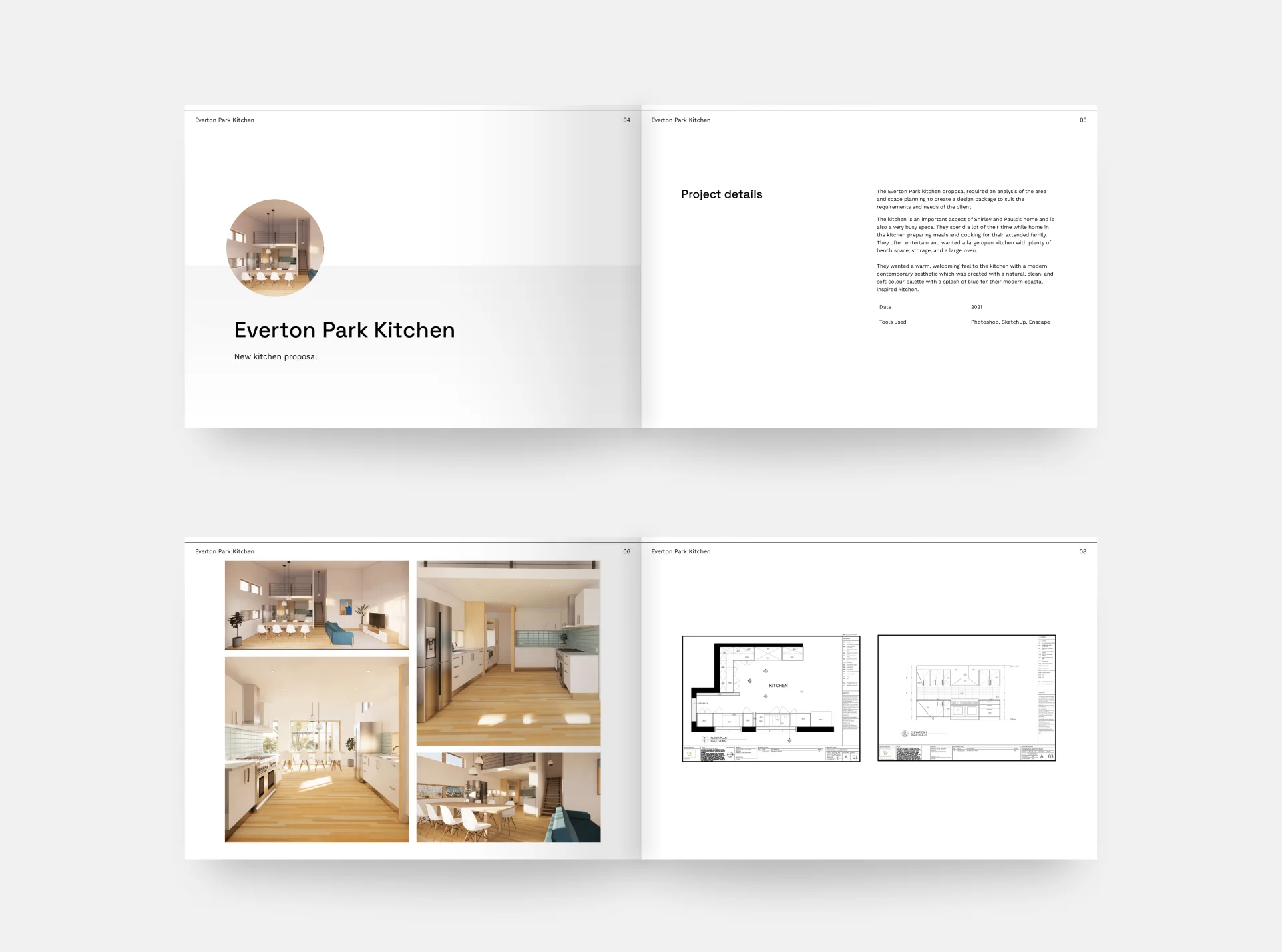
Staphanie Edwards' PDF portfolio
To avoid having to create a new portfolio every time, create a master portfolio and just cherry-pick the projects you want to include.
Here's how this process looks with Archifolio: You create your master portfolio website with all of your projects. Then, you export your portfolio (with certain projects hidden if they aren't relevant) as a PDF, and send this highly tailored portfolio as an email attachment. If you intrigued them, and they want to see more, you can send a link to your website (a.k.a. your master portfolio), where they can check out all your work.
Make it as easy as possible to view and understand your work. Hiring managers are usually in a hurry to review the thousands of applications they receive. Thus, the smoother their experience is with yours, the happier they are.
3. As an undergraduate student…
Recommended format: PDF
Avoid sending a file that’s bigger than 10 MB.
Include:
- your final thesis,
- class projects,
- models, furniture designs,
- conceptual drawings,
- mood boards & inspiration,
- renders, and
- technical drawings.
Be ruthless with the selection and only include those projects that you’re proud of.
Structure:
- Home page (a.k.a. Cover page),
- Resume page,
- Table of contents (a.k.a project thumbnails for websites),
- Academic projects, and
- Artworks & extracurriculars.
4. As a high school student…
Recommended format: PDF
Include:
- sketches,
- paintings,
- drawings,
- photography,
- models,
- sculptures, and/or
- any artwork that shows your understanding of 3D visualization.
Structure:
- Cover page,
- Motivational letter,
- Artworks,
- Experiments with 3D designs/rendering.
The people in the admissions office are interested in your affinity for arts in general and how much you are willing to learn.
Have the piece you are most proud of in the beginning, to make a statement about your abilities right at the start. Afterward, show your progress chronologically and end with your second-best piece (which often is the most recent) to have a wow factor at the end too.
Step 2: Settle on a format
Once you have an idea about how to create your portfolio and what to include, you need to settle on a format. Here are the most common types and their comparison:
1. Online portfolios
Portfolio websites have been on the rise in the past few years. No wonder, everybody is trying to build an online presence.
Now, let’s see the pros and cons of online portfolios:
Pros:
- Quick to create,
- Easily shareable,
- There are tons of templates available,
- Easy to update at any time,
- Interactive,
- Customizable, and
- Looks professional to have a website (think www.yourname.com)
Cons:
- A backup is needed,
- Can’t be viewed without an Internet connection,
- Sometimes you need coding skills (with traditional website builders), and
- It’s hard to print it.
How to make an online design portfolio? You have two options: You may either use a general website-building tool (e.g. WordPress). Or, you can choose a portfolio website builder, like Archifolio, created for interior designers and architects. The latter will give you tons of guidance and pro tips along the way and there’s no need to learn to code.
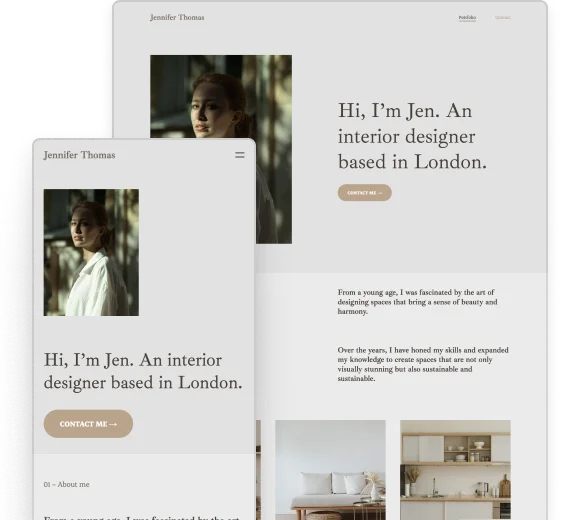
2. Offline portfolios (PDF)
The second most widespread portfolio type is the offline portfolio. This is a PDF file, which has a rather strict order:
- portfolio cover,
- interior design resume (and cover letter),
- contents page,
- title page, and
- project page for each of your projects.
Let’s see the pros and cons of offline portfolios:
Pros:
- Endless customizability,
- Can be viewed without an Internet connection,
- There are tons of templates available,
- No need for coding skills, and
- Printable.
Cons:
- Graphic design skills are needed,
- Difficult to share (if the file size is too big, you can’t send it via email),
- Once you send it, you can’t edit it,
- Difficult to edit and update, and
- It’s time-consuming to create from scratch.
3. Printed portfolio
Printed portfolios have been losing popularity in recent years and not many employers or admission offices are stating it as a requirement. However, this is why creating a printed portfolio can help you stand out in a positive way. Let’s analyze the pros and cons:
Pros:
- It feels professional to show your portfolio in print,
- Less common, which helps you stand out, and
- Can be viewed without an Internet connection.
Cons:
- Time-consuming to create,
- Expensive to print,
- Graphic design skills are needed,
- A pain in the neck to carry around and post when you want to share it, and
- Not updatable.
What kind of portfolio do you need for your interior design career?
There’s no one-size-fits-all approach to this question. However, our recommendation is to have a combination of all the above:
- a website for your master portfolio,
- a PDF work sample to make a good first impression, and
- a printed portfolio to wow your interviewers.
Did you know that you don't have to choose between a website and a PDF portfolio anymore?
Archifolio gives you both a website and a PDF at the same time. Here's how it works:
- You create your portfolio in the intuitive website editor, full of customizable sections and guiding questions to make it super easy.
- You can treat it as your master portfolio: it has unlimited storage. You can add as many projects as you want, and just hide any that you don't want to showcase at the moment.
- When it's ready, you can publish it online, and even get a custom domain if you want to be really professional.
- Export a version as a PDF whenever you need: you can choose which pages and projects to include, and how you want the image quality to be.
Archifolio optimizes your images too, so you'll never have to sacrifice image quality for the sake of file sizes anymore.
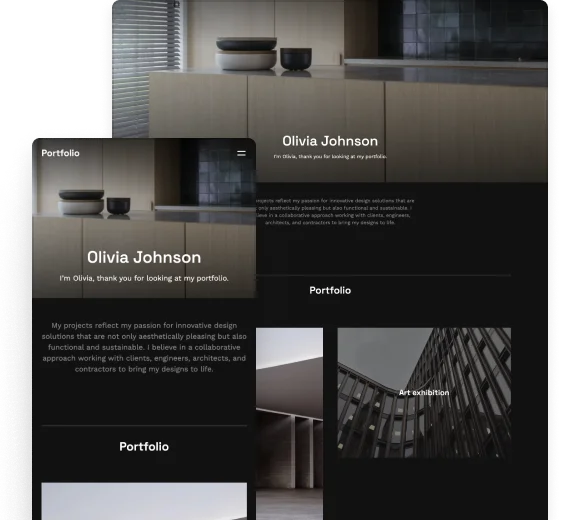
in the right way
Different employers, and institutions may prefer different ways of sharing a portfolio. The most common way remains to be sending the portfolio in an email. But to do so, you have a couple of options:
- you can send your online portfolio's link (connecting your own domain, like www.yourname.com makes it really professional)
- you can upload your PDF to a free hosting service (e.g. Issuu) and send that link, or
- you can send the PDF file as an email attachment (but make sure it's less than 10 MB).
When you're writing an email, forget greetings like “To whom it may concern”. Dig a little deeper and find out the person your email does concern.
If you're applying to a university, you'll most likely be asked to submit your portfolio through the university's application software. If it's the case, stick to PDF, don't upload JPEG or DOC files, as these are usually not even opened.
As a freelancer, having a website is a must, but we also strongly advise you to get active on social media. Your main aim is to show that you're an expert, so that potential clients find your portfolio.
If you'd like to help clients find you, optimize your site for the search engines. This way when someone is searching for an interior designer in your area, your portfolio can be the first result.
Step 4: Present your portfolio with confidence
If you don't know how to talk about your portfolio, it doesn't matter how perfect your portfolio is. Refresh your memory from time to time so that you know everything about your projects.
When you're preparing for a job application or client pitch, practice makes perfect. Talk about your projects out loud or ask a friend or colleague to listen to your presentation.
Be prepared for all types of interviewers. Some people sit back and listen until you are finished and only ask questions at the end, while others prefer a discussion. Prepare for both.
Don’t forget to practice your presentation through the most well-known online communication software (Microsoft Teams, Google Meet, Zoom, etc) to look professional no matter what.
If you are in doubt about what to say about your previous projects, remember the rule of the 5 Cs:
- Context: What kind of projects was it? What was your role in the project?
- Client brief: What was the desired outcome? What was the project about?
- Challenge: What was your biggest obstacle in the project? Were there any limitations (of budget or time for example)?
- Competence: How did you tackle the challenge? What skills did you need or design decisions did you make to overcome the difficulties?
- Conclusion (or Consequence): What was the outcome? Was the client satisfied with the result?
For example:
This project was a residential remodeling project of 120 square feet back in 2022. I was the design lead working closely together with a project manager. The clients wanted to remodel their kitchen to utilize the space and the natural light better. However, they had a very tight deadline, as the family lived in the house during the renovation, and they wanted to get back in their kitchen as soon as possible. I managed to prioritize the tasks very well and worked efficiently under time pressure, and I carried out the design documentation is record time. Since then, the remodeling has been finished, and the clients have personally thanked me for making the most of their kitchen space both in terms of storage and natural light.
What makes a good portfolio? Top 5 tips for success
So now that you have all the means to create your stunning portfolio, we brought you the top 5 tips that can help you take it to the next level:
1. Show your design process
Showing your design process will allow your interviewers to get a glimpse of your way of thinking and see much more than a beautiful interior. Chances are that when you apply for a job, your competition will also have great designs, so you need to stand out from the crowd and you can do that by walking them through your design approach.
2. Make an impression – Tell a story
Generally, people remember stories better than facts. You can use this to your advantage by walking your audience through your projects by telling a story. Before and after pictures show a great visual comparison, which can be remembered for a long time.
3. Make it easy to view
As mentioned above, hiring managers generally give only a couple of minutes to each portfolio. Therefore, you need to make sure that you choose a format that is easily accessible. What’s more, having clear navigation and layouts makes their experience better.
Also, it’s best practice to make your portfolio skimmable. You can for example do this with bullet points and highlighting important information from texts. Rely on the visuals instead of texts, which brings us to tip #4.
4. Let your pictures do the talking
We mentioned above, but it’s crucial, so we’ll repeat it: Have high-quality images. Your images are what give soul to your portfolio. Therefore, you should allow a considerable amount of room for them. What’s more, don’t be afraid of whitespace. It will allow your pictures to shine even more.
5. Show your personality
In short, your portfolio should be about you and your work. So, don’t leave out your personality, your interests, and your approach to life itself. The whole point of your portfolio is to introduce yourself in a professional way and in conclusion that’s what makes a great portfolio.
Your most-asked portfolio questions answered
An interior design portfolio should showcase your design process, technical skills, and aesthetic style. Include:
- High-quality visuals: 3D renders, mood boards, and professional project photography.
- Technical drawings: Floor plans, elevations, and CAD or Revit drawings.
- Process documentation: Concept sketches, material boards, and brief project descriptions outlining the client's problem and your solution.
- About me & contact info: A short bio, professional photo, and direct contact links.
- Your resume, with your work experience, educational background, skills, and software, especially if you're building a portfolio website
Quality always beats quantity. An ideal portfolio should include 4 to 6 projects. If you add too many projects, it can overwhelm a hiring manager or potential client. So focus on displaying your absolute best, most diverse work only.
You should always check the usual work of the firm or suggested project of the client you're applying to, and preselect the projects you include in your portfolio to show the same types of work.
If you are a student or a career changer with no commercial clients, you can still build a powerful portfolio by using:
- Projects from your coursework at university.
- Concept designs and personal projects (e.g., redesigning your own space or a hypothetical client brief).
- 3D renders and mood boards that showcase your software skills and eye for spatial design, texture, and color.
Both formats serve different purposes, and having both is ideal.
- An online portfolio website is essential for discoverability and sharing quick links with potential clients or employers via email or LinkedIn. (No more worrying about email attachment file size limits.)
- A PDF portfolio is often still required during job application processes though, so having one on hand is kind of inevitable.
Platforms like Archifolio allow you to build an online portfolio and export it as a print-ready PDF with one click.
Yes, absolutely, especially if you specialize in residential renovations or remodeling.
Before-and-after photos are incredibly compelling because they show your problem-solving skills and the tangible value you bring to a space.
Just make sure that the "after" photo matches the lighting and angle of the "before" photo as closely as possible so people can compare them more easily.
Yes. If a project is still under construction or was a purely conceptual exercise, high-quality 3D renderings (from software like SketchUp, V-Ray, Enscape, or Revit) are perfectly acceptable.
Just make sure to clearly label them as "3D Renderings" or "Concept Work" so hiring managers and clients understand they are looking at digital visualizations rather than finished spaces.
The industry standard used to be Adobe InDesign for the longest time. But with more and more designers needing a professional online presence, portfolio platforms like Archifolio that offer both a website and PDF format for interior design portfolios are becoming the new best choice.
Yes, it's highly recommended. Your projects show your skills in action but your resume gives recruiters insight to your specific skills, seniority, educational background, and software you use.
Pro tip: if you're building an interior design portfolio website, add your CV natively on a separate page instead of embedding it as a PDF.
Well done for taking this time to do something useful for your interior design career by reading this article!
We hope that you got the motivation to start building your portfolio. If so, then give our tool, Archifolio a try. You’ll find stunning templates and get tons of guidance on how to create a portfolio that stands out.